Cloud Service Models Finally Make Sense
When you start with cloud computing, terms like IaaS, PaaS, and SaaS sound like alphabet soup. But behind these acronyms lies the foundation of how you build, deploy, and pay for applications in 2026. This guide strips away the fluff and gives you a human-centric understanding of each model, complete with real commands you can try today.
By the end, you will know exactly which model fits your workload, how much control you are trading off, and what a typical implementation looks like on AWS, Azure, and Google Cloud. Let’s break it down.
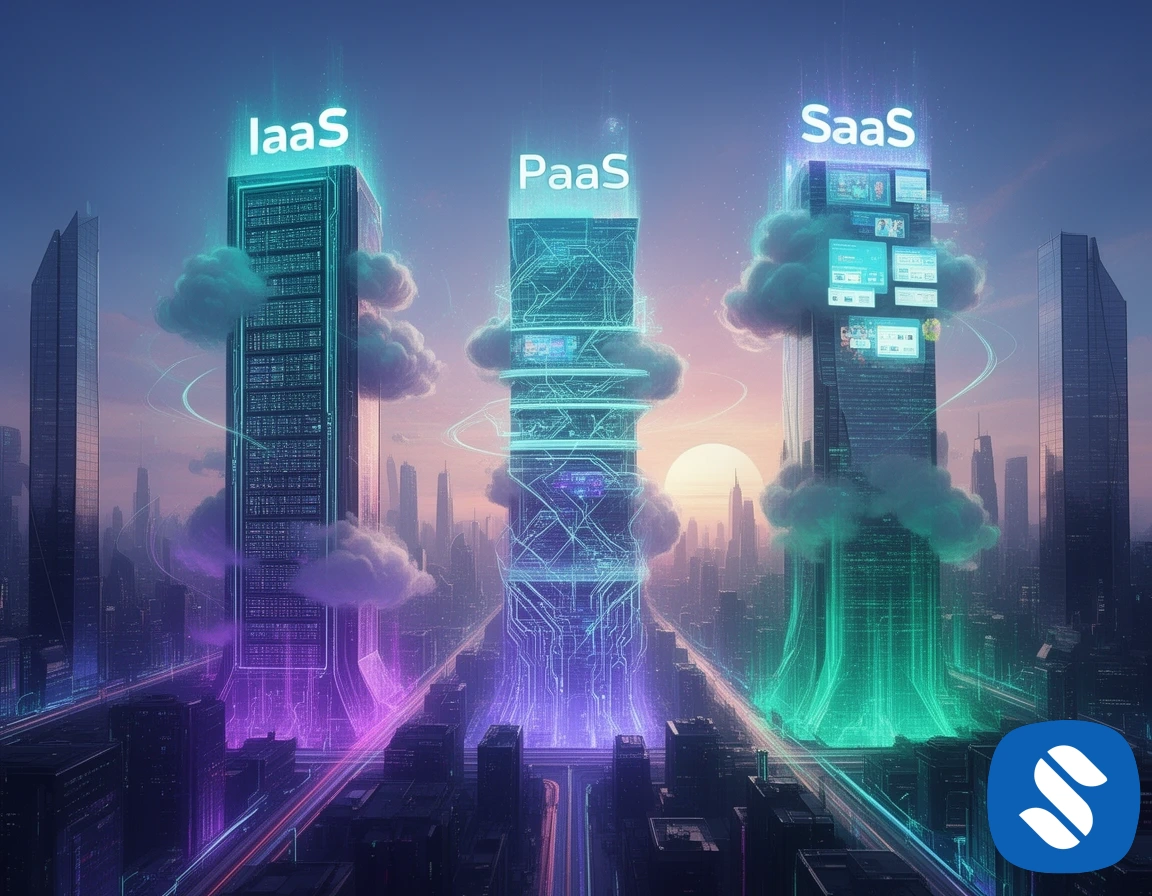
The Three Pillars of Cloud Services
Think of cloud service models as layers of a pizza. The bottom layer gives you the raw ingredients (IaaS), the middle layer pre-assembles the base and sauce (PaaS), and the top layer delivers a fully finished pizza to your door (SaaS). In technical terms:
- IaaS (Infrastructure as a Service) – Virtual machines, storage, and networking on demand.
- PaaS (Platform as a Service) – A managed environment where you just bring your code.
- SaaS (Software as a Service) – Ready-to-use applications accessed over the internet.
Each model shifts the balance between control and convenience. In 2026, the lines have blurred a bit with serverless options, but the core concepts remain the same.
IaaS: The Most Control, The Most Responsibility
IaaS is the digital equivalent of renting a bare-metal server in a data center, except you never touch the hardware. You provision virtual machines, attach block storage, configure firewalls, and install whatever you need. AWS EC2, Azure Virtual Machines, and Google Compute Engine are classic IaaS services.
In 2026, launching an EC2 instance still begins with a simple CLI command:
You are responsible for patching the OS, managing security groups, installing middleware, and scaling. That freedom is a double-edged sword; you can fine-tune everything, but you also carry the operational burden. For many legacy applications or highly regulated workloads, IaaS remains the go-to choice in 2026.
Terraform for IaaS Infrastructure
Most teams define IaaS resources as code with Terraform. Here is a simple AWS EC2 definition:
With IaaS, you can create a Kubernetes cluster from scratch or run a database directly on the VM. But each choice adds complexity. If you do not need that level of control, the next model may be a better fit.
PaaS: Focus on Code, Not on Servers
PaaS abstracts away the operating system, middleware, and runtime. You just push your application code and let the cloud provider handle the rest. This is where developer productivity soars. Popular PaaS offerings in 2026 include AWS Elastic Beanstalk, Azure App Service, and Google Cloud Run (which leans toward serverless PaaS).
Deploying a Node.js application on Elastic Beanstalk is a one-liner after the initial setup:
Behind the scenes, the provider provisions load balancers, auto-scaling groups, and health monitoring. You still need to understand networking and IAM permissions, but you do not manage the underlying EC2 instances directly.
Cloud Run takes this further: you deploy a container and Google scales it from zero to thousands of instances automatically. The command feels almost too simple:
PaaS is perfect for web apps, APIs, and microservices where you want velocity over fine-grained control. The trade-off: you are limited to the languages, runtimes, and configurations the platform supports. If your app requires a custom legacy runtime or kernel tweaks, PaaS may push back.
SaaS: Just Log In and Work
SaaS is the model most people use daily without thinking. Email, CRM, collaboration tools, and even cloud IDEs fall under SaaS. The provider manages everything infrastructure, platform, and application logic. As a user, you access the software through a web browser or mobile app, usually on a subscription basis.
Gmail, Salesforce, Slack, and Microsoft 365 are textbook SaaS examples. In 2026, even niche tools like Figma for design or Notion for knowledge management are SaaS products that have changed how teams work.
From a cloud architecture perspective, SaaS is the ultimate abstraction. You do not worry about scaling, backups, or security patches. The downside: you have almost no control over features, data residency, or integration depth. For regulated industries, evaluating SaaS vendors involves stringent compliance checks, but adoption continues to grow because of the speed it offers.
How to Choose the Right Model in 2026
Picking between IaaS, PaaS, and SaaS is not about picking the “best” one it is about matching the model to your workload and team skills. Use the following decision guide:
- Do you need full control over networking, storage, and OS? Choose IaaS.
- Do you want to focus on application code and data, and accept some opinionated defaults? Choose PaaS.
- Do you need an off-the-shelf solution that requires zero development? Choose SaaS.
In practice, modern architectures often mix all three. A company might run its core database on IaaS for compliance, deploy microservices on PaaS, and use SaaS for CRM and email. The key is to evaluate the operational overhead versus the flexibility you truly need.
Cost Considerations Across Models
Cost models differ drastically. IaaS usually bills by the second or hour for compute, plus storage and data transfer. PaaS often charges for resource consumption (vCPU-seconds, memory, requests). SaaS typically follows a per-user per-month subscription.
In 2026, cloud providers have introduced more granular pricing to optimize costs. For example, AWS Lambda charges per millisecond of execution, while Cloud Run bills only when a request is active. IaaS still requires you to reserve capacity or risk spot interruption. The right choice can save thousands of dollars monthly or cost you if you over-provision.
Cloud cost optimization in 2026 is a discipline of its own. Tools like Terraform for IaaS, Kubecost for Kubernetes, and built-in cost analyzers on all platforms help keep spending in check.
Real-World Example: Deploying a Web App Two Ways
Imagine you need to deploy a simple Python Flask application. On IaaS, you might launch an EC2 instance, SSH in, install Python, copy the code, and configure a reverse proxy. That is at least an hour of work, plus ongoing maintenance. On PaaS, you could use AWS Elastic Beanstalk or Google Cloud Run with a single deploy command and have the app running in minutes, with automatic scaling and TLS termination.
Here is a Cloud Run deploy for the same app, containerized:
That difference in effort defines the IaaS vs PaaS decision for most startups and small teams in 2026.
The Blurring Lines: Serverless and Beyond
Cloud service models are no longer distinct boxes. Serverless computing think AWS Lambda, Azure Functions sits somewhere between PaaS and SaaS. You write functions, and the cloud runs them on demand. There’s no server to manage, but you still control the code. This has become incredibly popular for event-driven workloads in 2026.
Similarly, managed Kubernetes offerings like Amazon EKS blur IaaS and PaaS because they manage the control plane while you configure worker nodes. The landscape continues to evolve, but understanding the original IaaS, PaaS, SaaS framework helps you navigate the choices with confidence.
Conclusion
Cloud service models are more than marketing terms; they define the division of labor between you and your cloud provider. IaaS gives you raw building blocks, PaaS accelerates application delivery, and SaaS delivers ready-made solutions. In 2026, the best architects combine them thoughtfully, always asking: “How much control do we really need, and what operational weight are we willing to carry?”
Start small, experiment with a PaaS deployment for your next side project, or migrate a legacy VM to IaaS. The cloud is waiting for your command.